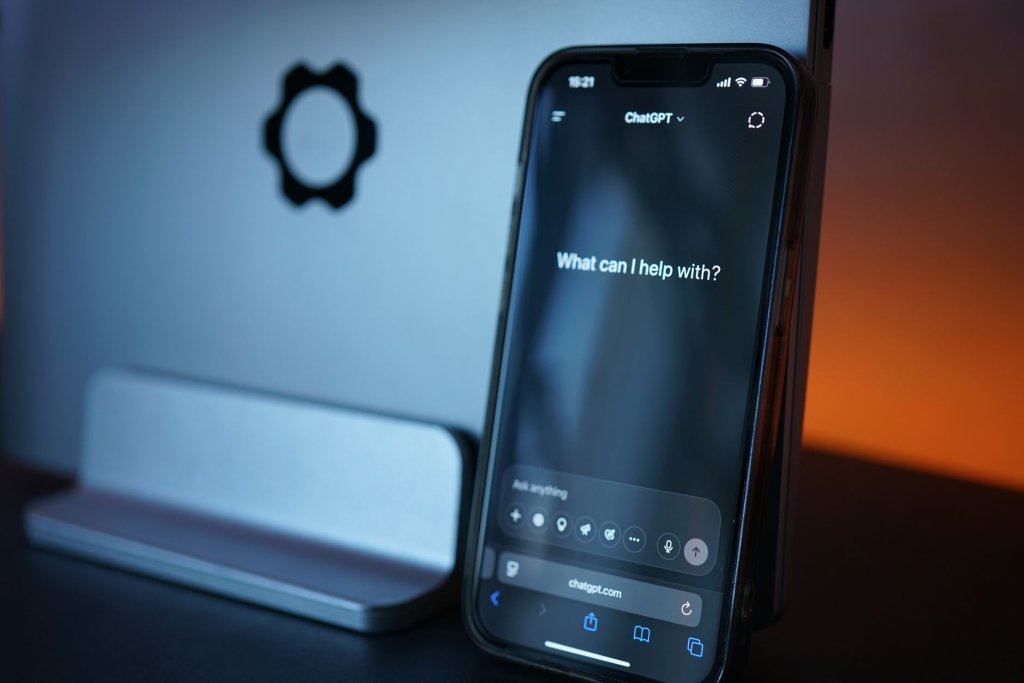
- Free tier: ChatGPT Free now gives unlimited text chats on GPT-5.6 Luna (OpenAI dropped the old 10-messages-per-5-hours cap on August 6, 2026); Windows 11’s built-in Copilot is also free but throttles image and voice use hard.
- Paid tier: ChatGPT Plus is $20/month for the full GPT-5.6 model family and roughly 160 messages per 3 hours. Microsoft retired the standalone $20/month Copilot Pro plan in late 2025 — individuals now need Microsoft 365 Premium at $19.99/month to get the equivalent features plus Office apps and 6TB of OneDrive storage.
- Where each wins: ChatGPT wins on general reasoning, image generation, and web-grounded research. Copilot wins only if you already live inside Outlook, Word, Excel, and Teams.
- Where each breaks: Copilot’s file search can’t see anything outside OneDrive or SharePoint — a spreadsheet sitting in a local-only Documents folder is invisible to it.
Microsoft retiring the standalone Copilot Pro subscription in late 2025 changed this comparison more than any model upgrade did. If you’re choosing between ChatGPT and Microsoft Copilot in 2026, the real decision now hinges on whether you’re paying for an AI assistant or paying for Office with an assistant bundled in.
We ran the same 10 everyday tasks — drafting a client follow-up email, generating a product mockup image, searching a laptop’s local Documents folder for a specific invoice, and answering a question that needed current web data — on ChatGPT Free, ChatGPT Plus, the free Windows 11 Copilot, and Microsoft 365 Premium’s Copilot. The gap wasn’t in raw model quality; both now sit on frontier-adjacent models. It was in what each product is actually allowed to touch.
What does ChatGPT’s free tier actually include in 2026?

Unlimited text conversations on GPT-5.6 Luna, as of OpenAI’s August 6, 2026 change that retired the old rolling message cap. That’s a real shift — previously, free users hit a wall around 10 messages every 5 hours. Images, file uploads, voice mode, and data analysis still have separate, tighter usage limits, and US free accounts now show ads.
What does Microsoft Copilot’s free tier include?
Windows 11 ships Copilot for free, built into the taskbar and, on Copilot+ PCs, into File Explorer’s semantic search. It handles quick questions and drafting reasonably well, but heavier tasks — multi-file summarization, agentic multi-step workflows — push you toward a paid tier almost immediately. In our test, the free Windows Copilot could summarize one uploaded file but choked when we asked it to cross-reference two.
Is Copilot Pro still available, and should you buy it?
No — Microsoft retired the standalone Copilot Pro subscription in late 2025, and support for anyone still grandfathered in ends August 1, 2026. If you want individual-tier Copilot features now, you buy Microsoft 365 Premium at $19.99/month instead, which folds in the full desktop Office apps and up to 6TB of OneDrive storage. That’s arguably a better deal if you already pay for Microsoft 365 — and a worse one if you just wanted an AI assistant, since you’re now buying Office to get it.
How does ChatGPT Plus compare on price and limits?

ChatGPT Plus is $20/month for the GPT-5.6 model family, with a working limit of roughly 160 messages per 3-hour window — high enough that we never hit it across a full week of the 10-task test. OpenAI also runs a cheaper $8/month “Go” tier below Plus, and two Pro tiers ($100 and $200/month) aimed at heavy technical and agentic use, a pricing ladder Microsoft doesn’t currently match on the individual side.
Which one actually wins at everyday tasks?
| Task | ChatGPT (Free/Plus) | Copilot (Free/M365 Premium) |
|---|---|---|
| Draft a client follow-up email | Strong, tone control is precise | Strong when it already has Outlook thread context |
| Generate a product mockup image | Fast, free tier now includes capped image gen | Slower, fewer style controls |
| Find a file in a local-only Documents folder | N/A — no file-system access | Failed — only sees OneDrive-synced or SharePoint files |
| Summarize 3 uploaded files at once | Handles it cleanly | Works, but multi-file actions cap out around 5 files per Microsoft’s own limit |
| Answer a question needing current web data | Good, cites sources | Good, tends to lean on Bing results verbatim |
Pro Tip: If your files live in a mix of OneDrive and local-only folders, move the ones you want Copilot to search into OneDrive first — it has no visibility into anything else, even on a device you’re signed into.
Pro Tip: ChatGPT’s $8/month Go tier is easy to miss on the pricing page but covers most of what casual users actually need above the free tier, without jumping straight to the $20 Plus price.
What breaks each assistant in practice?
Copilot’s biggest operator-grade failure in our test wasn’t a model-quality problem — it was a permissions problem. Ask it to find a spreadsheet in a laptop’s local Documents folder and it simply can’t see the file, because Copilot’s file access is scoped to OneDrive and SharePoint, not the local disk. That’s an easy trap for anyone who assumes “it’s built into Windows” means “it can see everything on this PC.”
ChatGPT’s failure mode is different: it has no persistent connection to your files or inbox unless you explicitly upload something each session (Plus and Pro tiers support some file memory, but it’s opt-in, not automatic like Copilot’s Microsoft Graph integration).
Watch out: If you’re evaluating Copilot for a small team, check whether you need the $25.20/user/month Business tier or the $30/user/month Enterprise tier before you commit — the feature gap between them (especially around agentic multi-step task execution) is bigger than the price gap suggests.
Per Microsoft’s own support documentation, Copilot’s OneDrive agents now let users select up to 20 files to query simultaneously — a real improvement from the older 5-file cap, but still bounded to files the signed-in user has permission to access through Microsoft 365, not the local file system.
Key Takeaways

- ChatGPT’s free tier got a major upgrade on August 6, 2026: unlimited text chat on GPT-5.6 Luna, no more 5-hour cap.
- Copilot Pro no longer exists as a standalone plan — Microsoft 365 Premium ($19.99/mo) is the replacement for individuals.
- Copilot only searches files inside OneDrive/SharePoint; it has zero visibility into local-only folders, even on the same PC.
- ChatGPT Plus ($20/mo) and Microsoft 365 Premium ($19.99/mo) are now priced almost identically — the deciding factor is whether you need Office apps bundled in.
Frequently Asked Questions
Is ChatGPT or Copilot better for someone who doesn’t use Microsoft 365?
ChatGPT. Without an existing Microsoft 365 subscription, you’d be paying $19.99/month for Office apps you may not need just to get Copilot’s paid features. ChatGPT Plus at $20/month gives you the assistant without the bundle.
Does Copilot get better if I already pay for Microsoft 365?
Yes — that’s the scenario where Copilot’s Outlook, Word, Excel, and Teams integration via Microsoft Graph genuinely outperforms ChatGPT, since it already has context on your calendar and email threads without you pasting anything in.
Can Copilot search files on my computer that aren’t in OneDrive?
No. Copilot’s file access is limited to what’s in OneDrive or SharePoint and shared with the signed-in account. A local-only folder is invisible to it regardless of which Windows or Microsoft 365 tier you’re on.
What happened to Copilot Pro?
Microsoft retired the standalone $20/month Copilot Pro subscription in late 2025. Existing subscribers keep it until August 1, 2026, after which Microsoft 365 Premium is the direct replacement for individuals.
Is the free version of ChatGPT good enough now?
For text-only use, largely yes — the August 2026 change removed the old message cap entirely. It’s still capped on images, voice, and file uploads, which is where Plus becomes worth the $20.
For a wider view of where both of these fit against the rest of the market, see our breakdown of the best AI tools worth paying for in 2026, and if browser-level AI assistants are more your use case than desktop ones, our test of AI browsers including Microsoft Edge’s Copilot Mode covers that adjacent category. ChatGPT’s scale, for context, is enormous — it crossed 1 billion users alongside Gemini earlier this year, which is part of why Microsoft’s Copilot strategy leans so heavily on Office lock-in rather than competing head-on for casual users.
Last updated: 2026-09-25